
Player guide
QSE Golf Player Guide
Everything about playing QSE Golf: rounds, formats, the swing and putting controls, practice, the daily challenges, saving, and course records.
QSE Golf is golf you play shot by shot. You choose the club, aim, power and shape, then make the swing yourself. Six courses, a driving range, a putting green and two daily challenges are included. Every course also has its own course guide, with a scorecard and a diagram of every hole.
Quick start
- Sign in. Golf needs an account, even for the free holes and practice.
- Open Golf from the Games menu and choose a course. On a free account, choose Play Free Holes 1–3 on QSE Signature 18.
- Pick a Club, set Aim and Power, then press Swing and click three times: to start, at your power, and on the yellow impact line.
- On the green, press Putt, click to start the pace meter, and click again to set the pace.
- Your round saves after every stroke, so you can leave and come back.

Free play and Golf Pro
| Free account | Golf Pro or Premium | |
|---|---|---|
| QSE Signature 18 | Holes 1–3, starting on hole 1 | All 18 holes |
| The other five courses | — | Every hole |
| Driving Range and Putting Green | Unlimited | Unlimited |
| Learn to Play lessons | — | Included |
| Daily Three and Closest to the Pin | — | Included |
- A free account can start one new round per Eastern day. You can resume that round at any time; a new one is available after midnight Eastern.
- A round you start while subscribed can still be resumed and recorded for 24 hours after your paid access ends.
- Locked items show what they need: a course you can't play yet says Unlock 18 Holes and links to the plans.
The courses
| Course | Holes | Par | Forward tees | Club tees | Back tees |
|---|---|---|---|---|---|
| QSE Signature 18 | 18 | 72 | 5,630 yd | 6,632 yd | 6,984 yd |
| QSE Greycap Links | 18 | 72 | 5,978 yd | 7,081 yd | 7,438 yd |
| QSE Red Mesa | 18 | 72 | 6,046 yd | 7,179 yd | 7,537 yd |
| QSE Longleaf Sandhills | 18 | 72 | 5,962 yd | 7,080 yd | 7,437 yd |
| QSE Palmetto Sound | 18 | 72 | 5,872 yd | 6,985 yd | 7,344 yd |
| QSE Heron Lakes Par 3 | 9 | 27 | 1,143 yd | 1,349 yd | 1,527 yd |
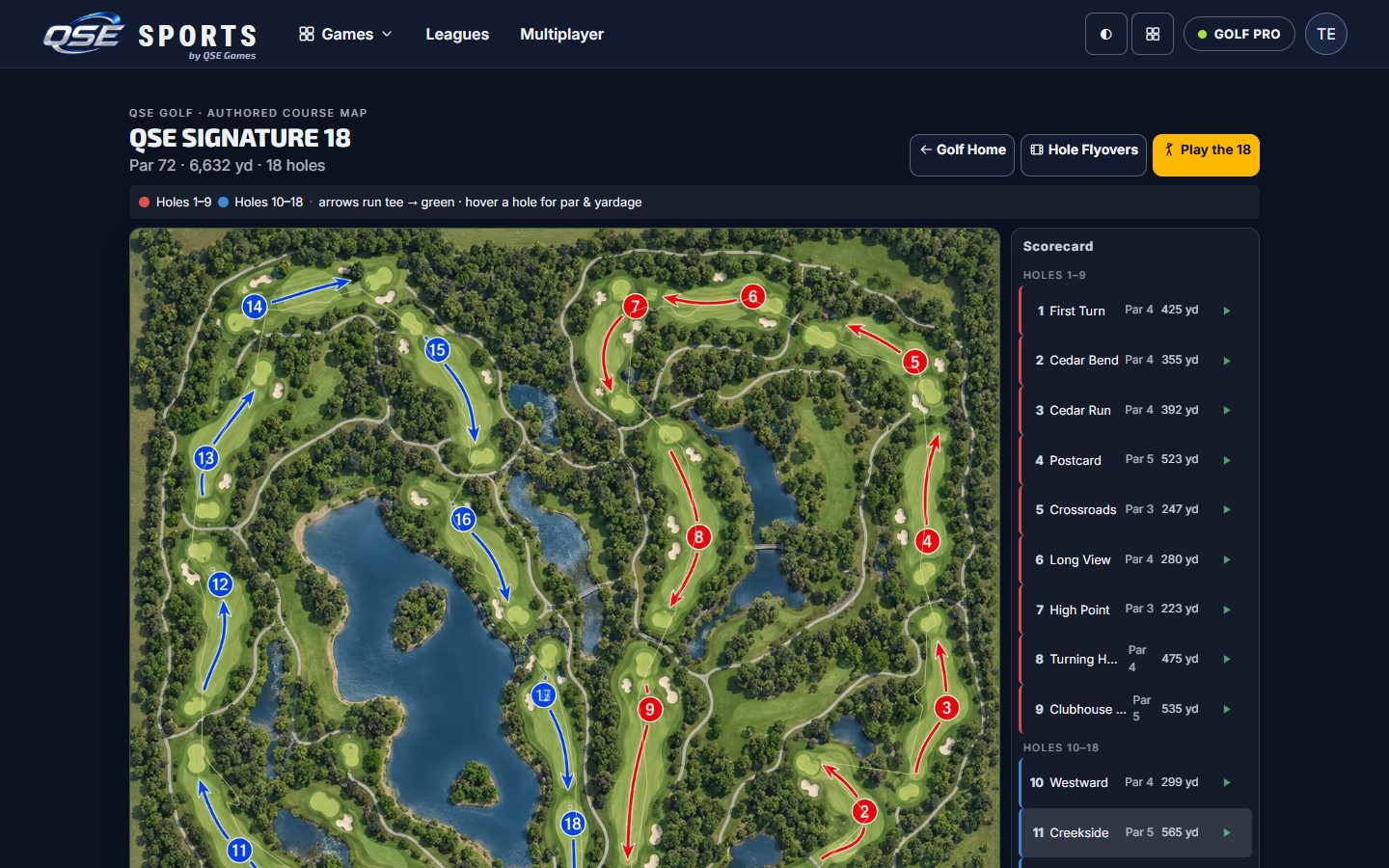
Select a course name to open its course guide: scorecard, course map, and a card for every hole with its yardage from each tee, its wind, its green, and where the bunkers and water are. Each course card on Golf home also links to:
- Course Map: the routing of the whole course, the scorecard, and a button to start a round on any hole.
- Hole Flyovers: fly over any hole, or all of them in order.
Setting up a round
Choose Play on a course card. The round opens on the first tee. Open Round setup at the top right to change how you play.
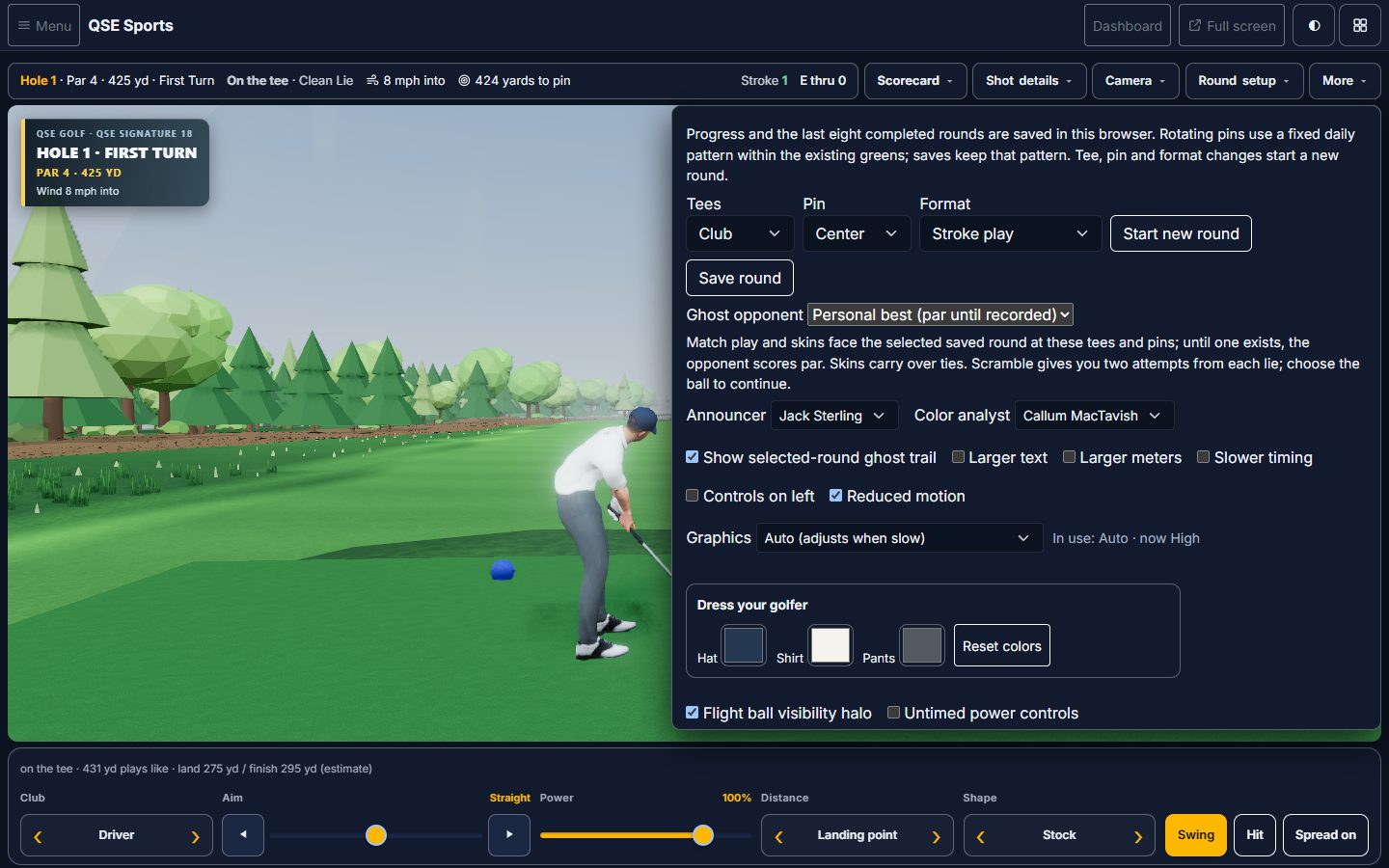
- Tees. Club is the standard set. Forward makes every hole 16% shorter. Back adds 20 yards to every hole.
- Pin. Center is standard. Front plays 6 yards shorter and Back 6 yards longer. Rotating moves the pin front, center, back from hole to hole, and the pattern shifts by one each day.
- Format. See the next section.
- Start new round begins again with your choices. Changing tees, pin or format also starts a new round.
- Resume hole N picks up your saved round, and Save round saves it now.
Formats
- Stroke play. Count every stroke. The lowest total wins. This is the only format that can set a course record.
- Stableford. Each hole scores points: 2 for par, 3 for a birdie, 4 for an eagle, 1 for a bogey, and 0 for double bogey or worse. The highest total wins.
- Match play. You play each hole against a ghost opponent and win, lose or halve it. The score shows how many holes up or down you are.
- Skins. The same ghost opponent, but each hole is worth a skin. If you tie a hole, its skin carries over to the next one.
- Two-ball scramble. You hit two balls from each spot. Choose Keep ball 1 or Keep ball 2, and play the next two from there.
The ghost opponent for Match play and Skins is either your personal best on that course (par on every hole until you have one) or one of your last eight completed rounds on that course in this browser with the same tees and pins.
The round screen
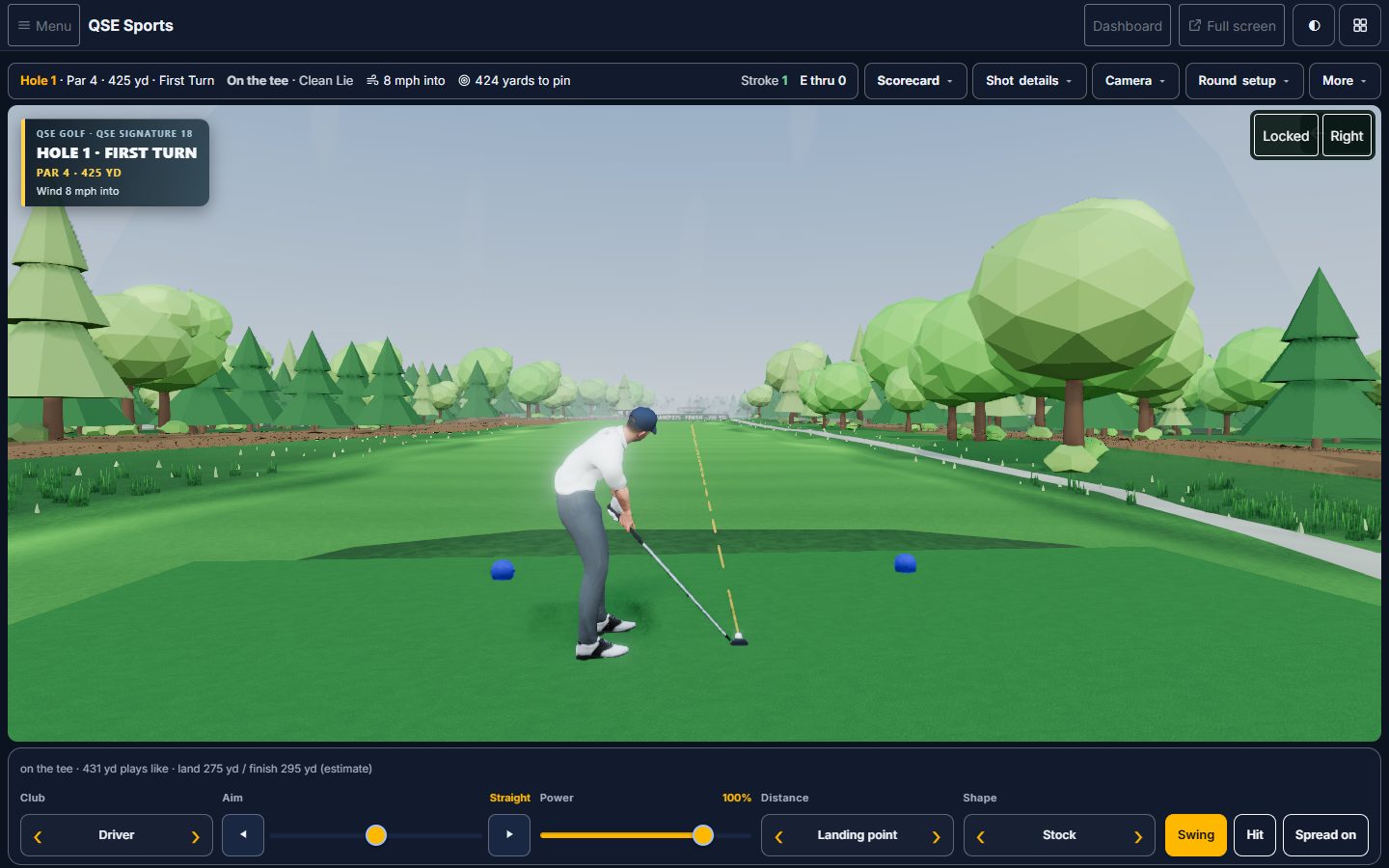
- Top bar: hole, par, yards and name; your lie; the wind; yards to the pin; your stroke number and score to par.
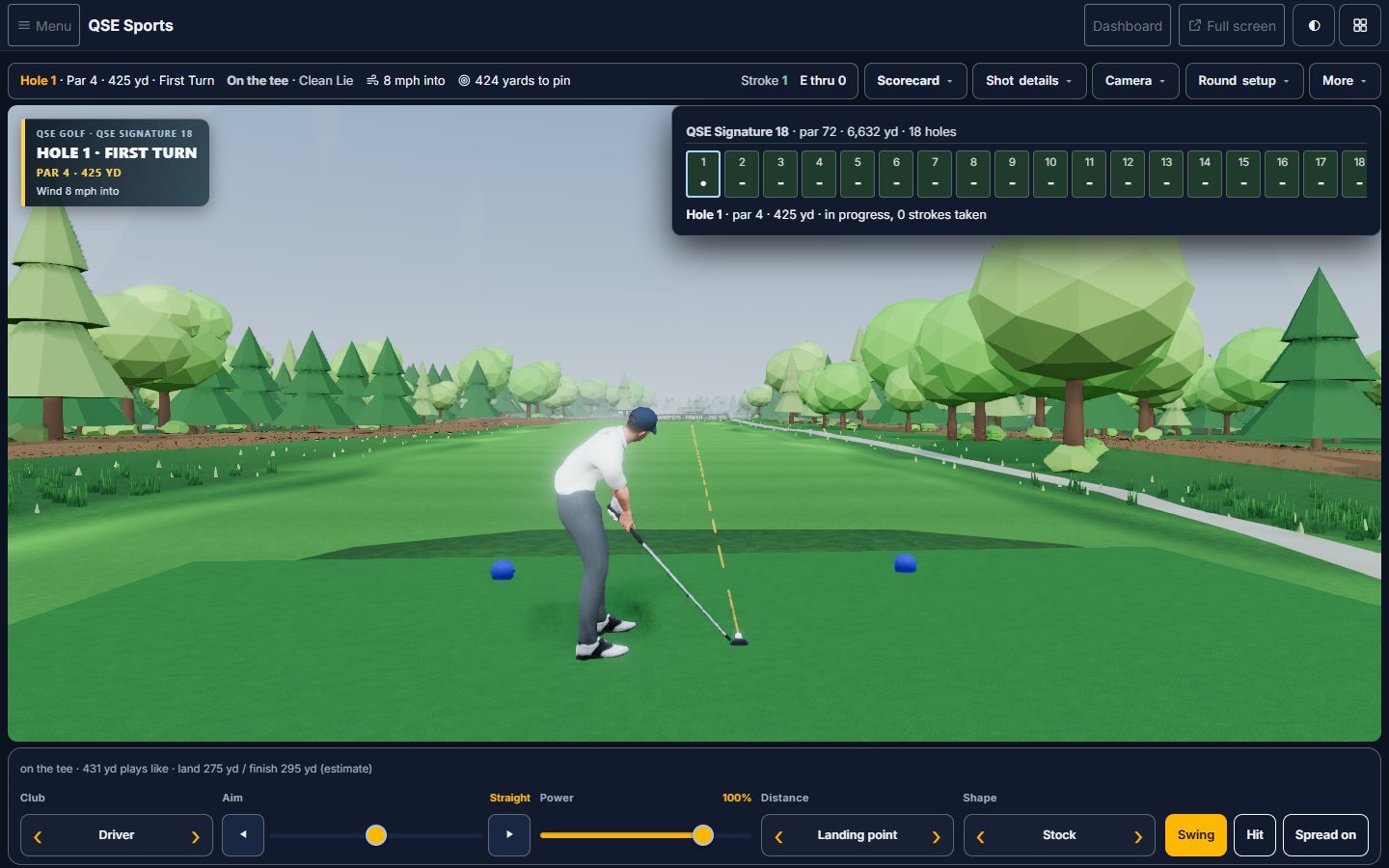
- Menus: Scorecard, Shot details, Camera, Round setup and More.
- Caddie line above the controls: how far the shot plays after the wind, and where the ball should land and finish with the club you have chosen.
- Shot controls: Club, Aim, Power, Distance and Shape, then Swing, Hit and Spread.
Taking a shot
Club
You carry 14 clubs in every round. These are the typical carry distances, before wind and lie:
| Club | Carry | Club | Carry |
|---|---|---|---|
| Driver | 275 yd | 8 Iron | 160 yd |
| 3 Wood | 243 yd | 9 Iron | 148 yd |
| 5 Wood | 230 yd | Pitching Wedge | 136 yd |
| Hybrid | 215 yd | Gap Wedge | 118 yd |
| 4 Iron | 203 yd | Sand Wedge | 100 yd |
| 5 Iron | 194 yd | Lob Wedge | 82 yd |
| 6 Iron | 183 yd | ||
| 7 Iron | 172 yd |
Some lies limit your club choice. Out of a bunker you can use the 9 iron through the lob wedge. On pine straw you can use the 5 iron through the lob wedge, and on the cart path the 7 iron through the sand wedge.
Aim, power, distance and shape
- Aim turns your start line left or right, up to 60 degrees each way. Hold an arrow to keep turning. Straight points you back at the target.
- Power runs from 40% to 115%. Going over 100% adds distance but makes your misses half again as wide.
- Distance chooses what the yardage aims at: Landing point (where the ball first lands) or Stopping point (where it should finish after it rolls).
- Shape sets the shot: Stock, High, Low, Punch, Recover, Draw or Fade.
- Spread shows the area your shot will usually land in. Some shots finish outside it.
The swing meter
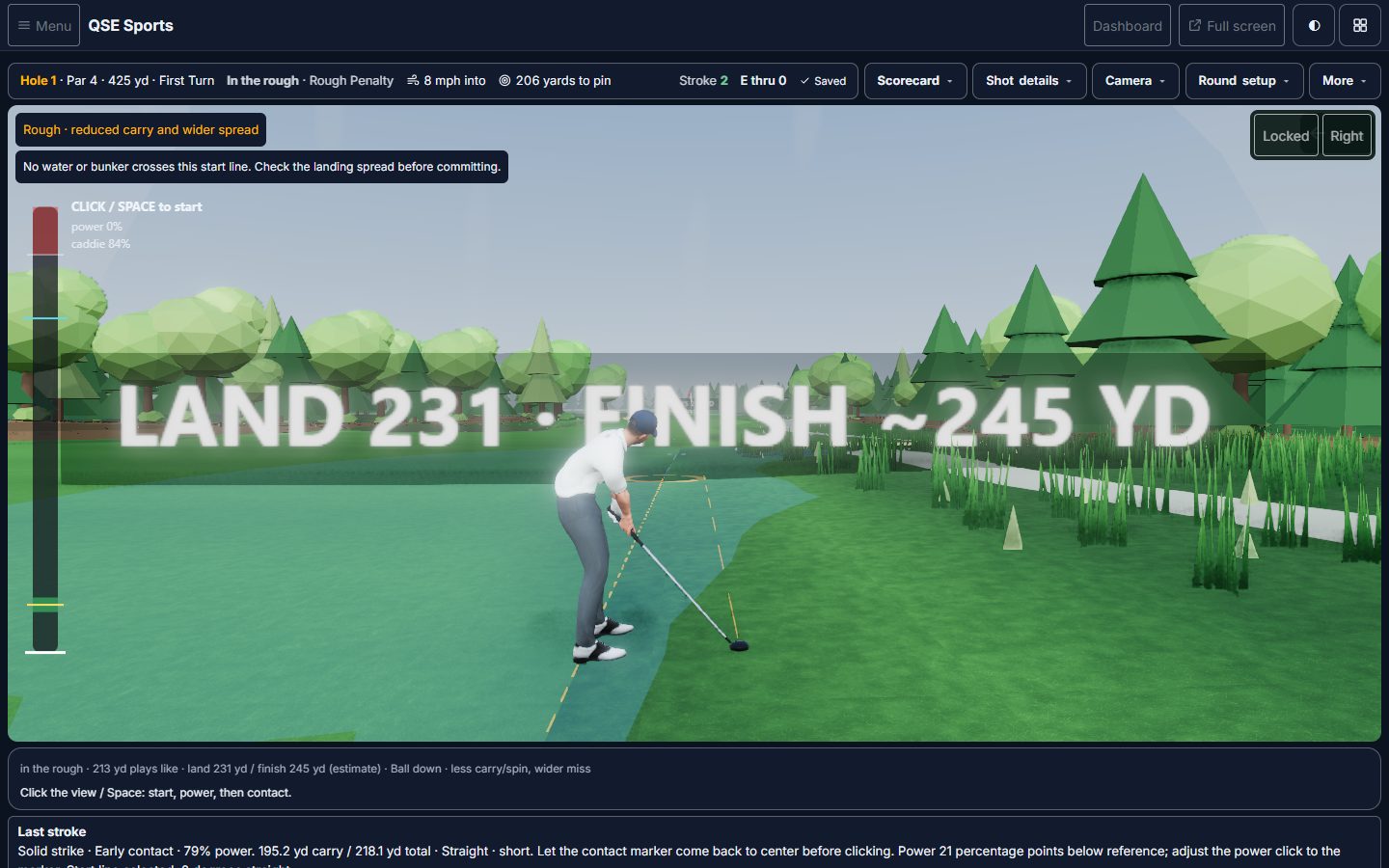
- Press Swing to arm the meter.
- Click the course view, or press Space or Enter, to start the swing.
- Click again when the meter reaches the power you want.
- Click a third time on the yellow impact line.
A click right on the line is a pure strike, the longest and straightest. Click early and the face is open, so the ball fades, or slices if you are well early. Click late and it draws, or hooks if you are well late. If you miss the downswing completely, the swing finishes on its own as a chunked shot.
Hit is the other way to swing. It takes your Power setting and the Contact setting in Shot details (0 is pure, below 0 early, above 0 late) and plays the shot straight away. Because it skips the swing meter, using Hit marks the round assisted.
Around the green
Within 55 yards of the hole, or in a bunker, the controls switch to short-game shots:
- Chip (9 iron), Pitch (pitching wedge), Flop (sand wedge), Bump & run (7 iron), and Bunker (sand wedge, from sand only).
- Land sets how far the ball carries before it lands, from 1 yard up to 62 yards. A chip runs out more than a flop.
Lies
| Lie | What it does |
|---|---|
| Tee and fairway | A full, clean strike. |
| Rough | About 8% less ball speed and 40% less spin, so the ball is harder to stop and runs out more. |
| Sand | About a third less ball speed. 9 iron through lob wedge only. |
| Pine straw (under the trees) | About 16% less ball speed and a lower launch. 5 iron through lob wedge. |
| Cart path | A low launch with little spin. 7 iron through sand wedge. |
| Water | A one-stroke penalty, then you drop beside the hazard. |
Wind and conditions
Every hole has its own wind, fixed for the round. The top bar shows its speed in mph and whether it is into you, from the right, downwind or from the left. A headwind shortens the ball and makes any curve bigger. A tailwind carries it farther. In a crosswind, aim into it and let it bring the ball back.
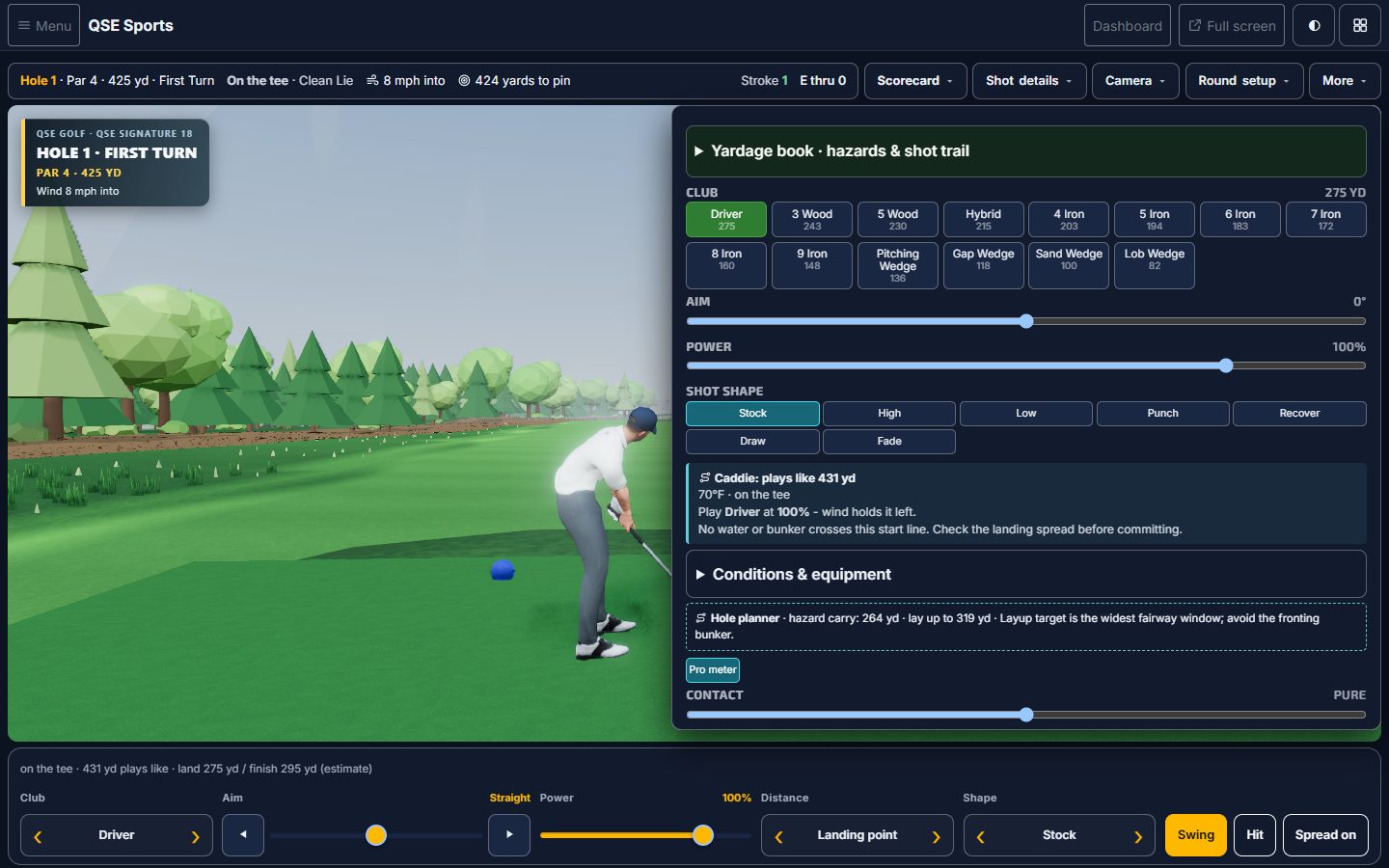
Shot details holds the full set of shot controls: every club with its carry, aim, power, shot shape, the caddie's advice, the hole planner (the carry over the hazards and the best lay-up), the Pro meter or Amateur meter (20% slower), and Contact.
Its Conditions & equipment section sets the course conditions (Firm and dry, Morning dew, Soft and wet, Gusty, Rain) and your equipment (Balanced, Distance ball, Spin ball, Soft shaft, Low-bounce wedge). Both change how the ball flies, lands and rolls: wet turf stops the ball sooner, and a distance ball goes a little farther with less spin. The Daily Three sets its own conditions.
After each shot
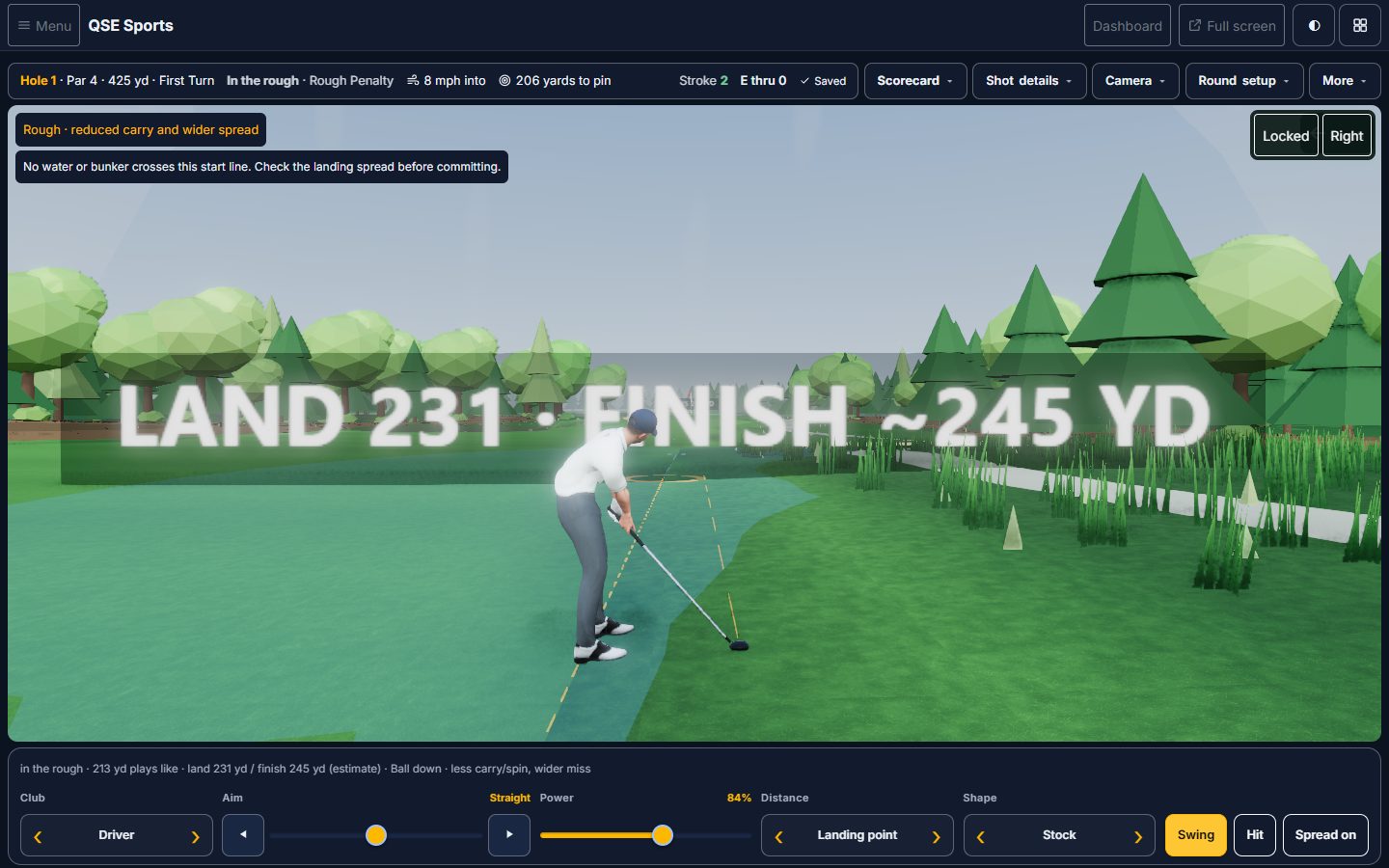
The feedback line shows how you struck it, your timing and power, the carry and total distance, and which way it went. The caddie line then updates for your next shot, and the round saves.
Putting
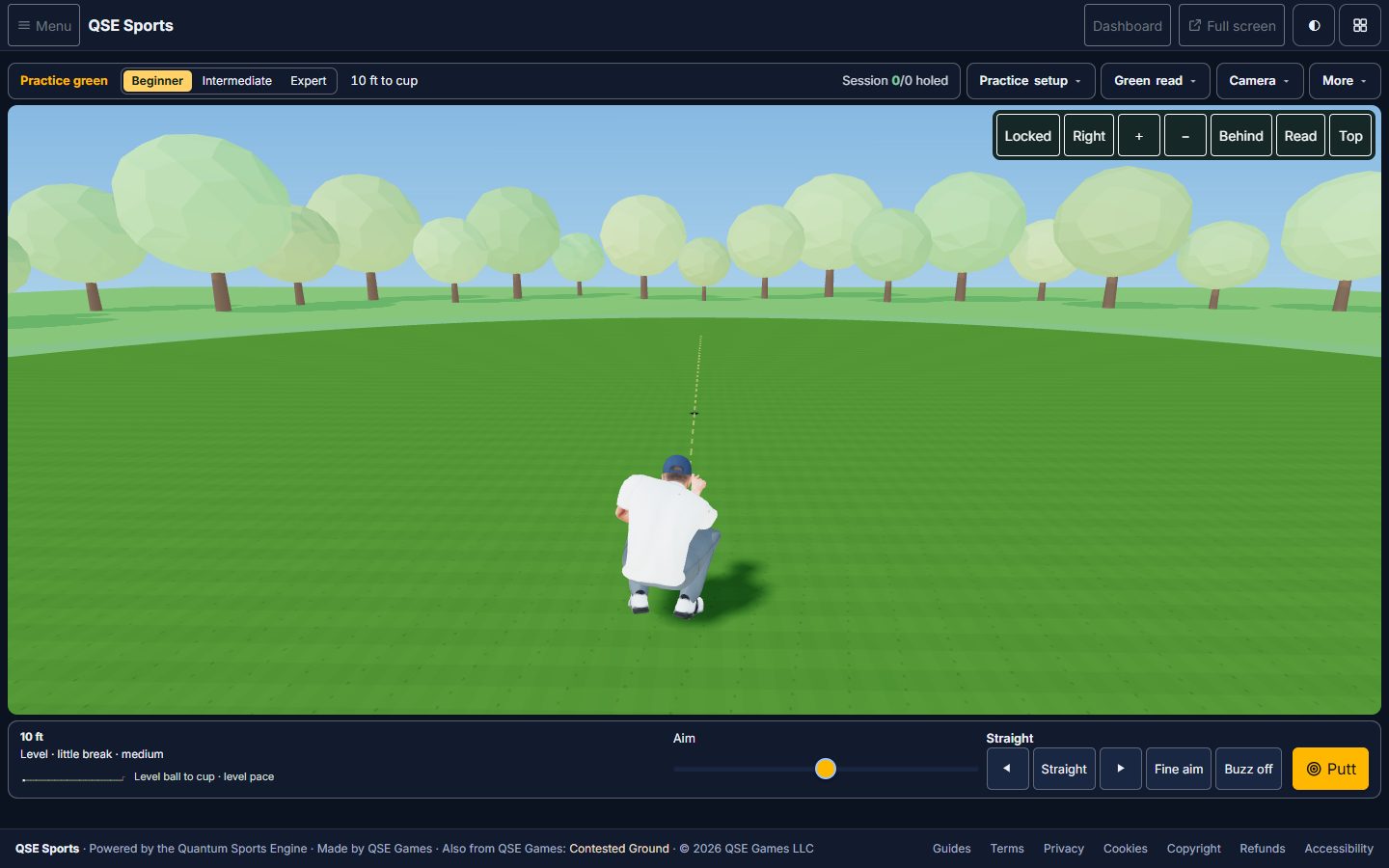
- Read the green. Look for the way it falls and the green speed (shown as a Stimp number; higher is faster).
- Aim into the break, up to 12 degrees each way. Fine aim turns in smaller steps.
- Press Putt to arm the meter, click once to start it, then click again (or press Space or Enter) to set the pace.
The pace meter is scaled to the putt you face and marked in feet. The yellow mark is the distance to the cup and the cyan mark is the recommended pace. The meter takes a little over two seconds to fill, and strikes the putt by itself if it reaches the top. On putts of 3 feet or less it fills more slowly. The ball breaks more as it slows down, so a firmer putt holds its line longer.
The cup is regulation size, and there are no gimmes: you hole every putt.
The Green read menu sets what you see on the green: elevation and the recommended pace (on to start with), a grid, slope tint, subtle contours, downhill dots, how strong the overlay is, and the predicted roll line. The predicted roll line marks your round as assisted.
Assisted rounds and course records
A round is marked Assisted if at any stroke you use Hit instead of the swing meter, Untimed power controls, Slower timing or the predicted roll line, or if you play the Daily Three with guides. An assisted round stays in your history but can't set a course record.
A round counts for the course record board only when it is all of these:
- complete, all holes played;
- Stroke play, from the Club tees, with Center pins;
- not assisted;
- checked by the server, which replays every stroke you played.
Free three-hole rounds are partial, so they stay in your history.
Saving and resuming
- Your round saves in this browser after every stroke (the top bar shows Saved).
- Come back to the course and choose Resume saved round, or use Resume hole N in Round setup. For QSE Signature 18, Golf home also shows Resume Hole N.
- When you finish the last hole, the round is sent to your online history. If that fails you'll see Online history could not be saved. Your round is kept in this browser. Choose Retry saving online history. My Rounds also retries waiting rounds by itself.
- Saves live in this browser. Private browsing, or clearing site data, removes them. If a course is updated, saves from its old layout can no longer be resumed.
My Rounds and course records
My Rounds (on Golf home) lists your latest 50 rounds: date, course, holes, score, to par, putts, three-putts and greens in regulation, plus the score on every hole. It also shows your recent form (your last five completed rounds on a course) and a practice focus with a drill to work on.
Two labels can appear on a round:
- Personal round: verified, but not standard (another format, tee or pin, or assisted).
- Unverified legacy result: an older round from before stroke checking. It stays in your history only.
Course Records on Golf home shows the top five rounds on each course, one per player.
Daily Three
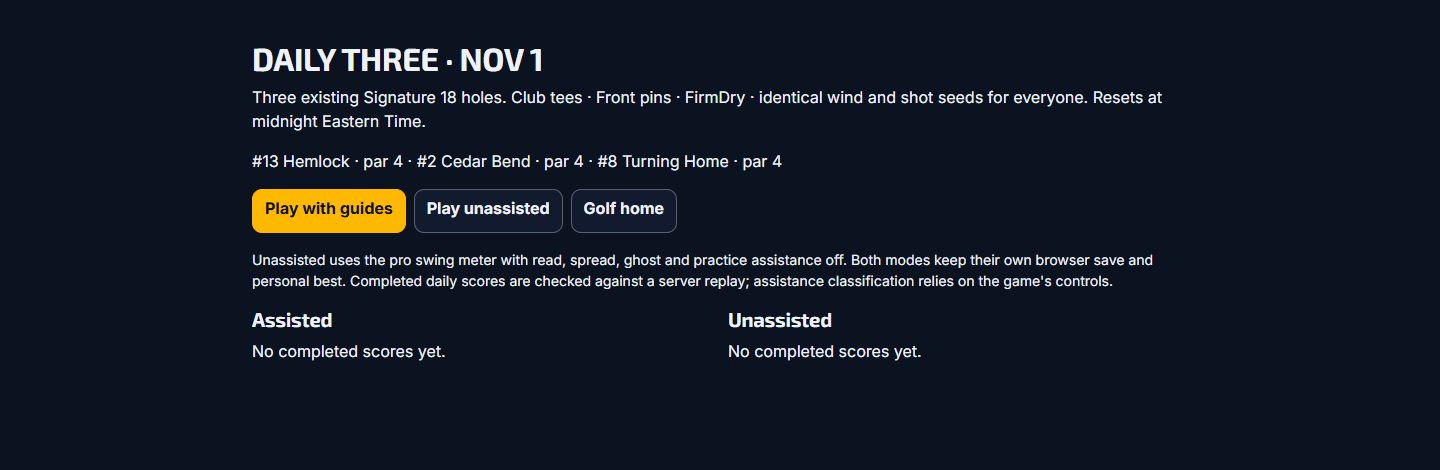
Three holes from QSE Signature 18, the same for everyone each day, and new at midnight Eastern.
- Club tees and Stroke play. One pin position (front, center or back) for all three holes, one wind for all three (6 to 13 mph), and one course condition. Every player gets the same shot luck.
- Play with guides: every aid is available. These rounds go on the Assisted board.
- Play unassisted: the full-speed swing meter only. Hit, Spread, Slower timing, Untimed controls, the ghost, the green-read overlays and shot review are all off until you finish. These rounds go on the Unassisted board.
- Each way has its own save and personal best. Play as often as you like: the boards keep your best score and show the top 20. Every score is checked by replaying your strokes, and on a tie the more recent round ranks higher.
Closest to the Pin
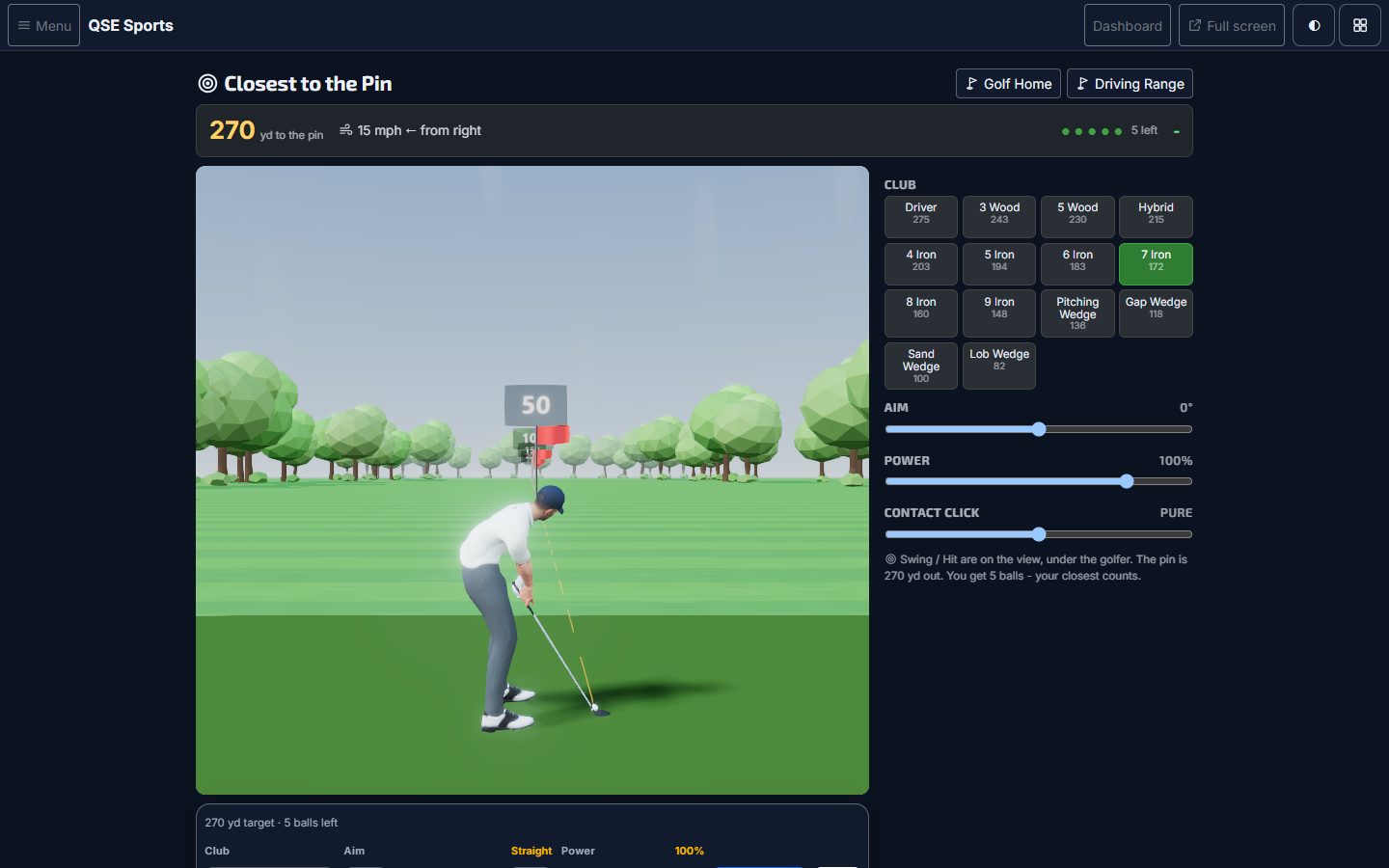
A new target every day, between 120 and 290 yards away. Some days are calm; on the rest the wind blows 4 to 16 mph.
- You get five balls. The driver is played off a tee and every other club off a mat.
- Your score is your best ball's distance from the pin, in inches.
- Play again as often as you like; the board keeps your best of the day and shows the top 20. It resets at midnight Eastern.
Practice
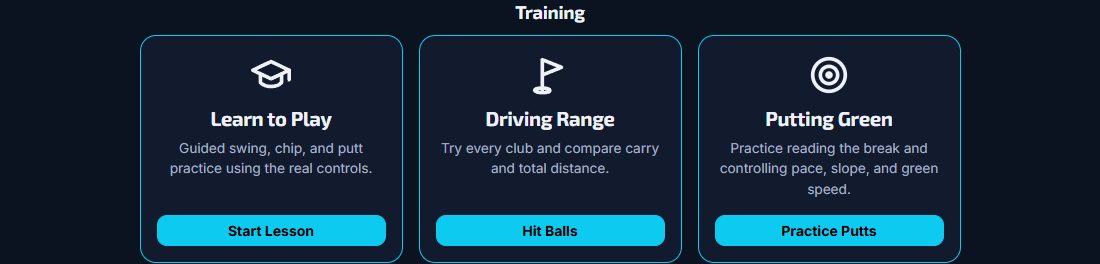
Learn to Play (Golf Pro)
Three short lessons in order: a full swing with a 7 iron, a chip with a 9 iron, and a 15-foot putt. Each lesson has Repeat this lesson and Next.
Driving Range
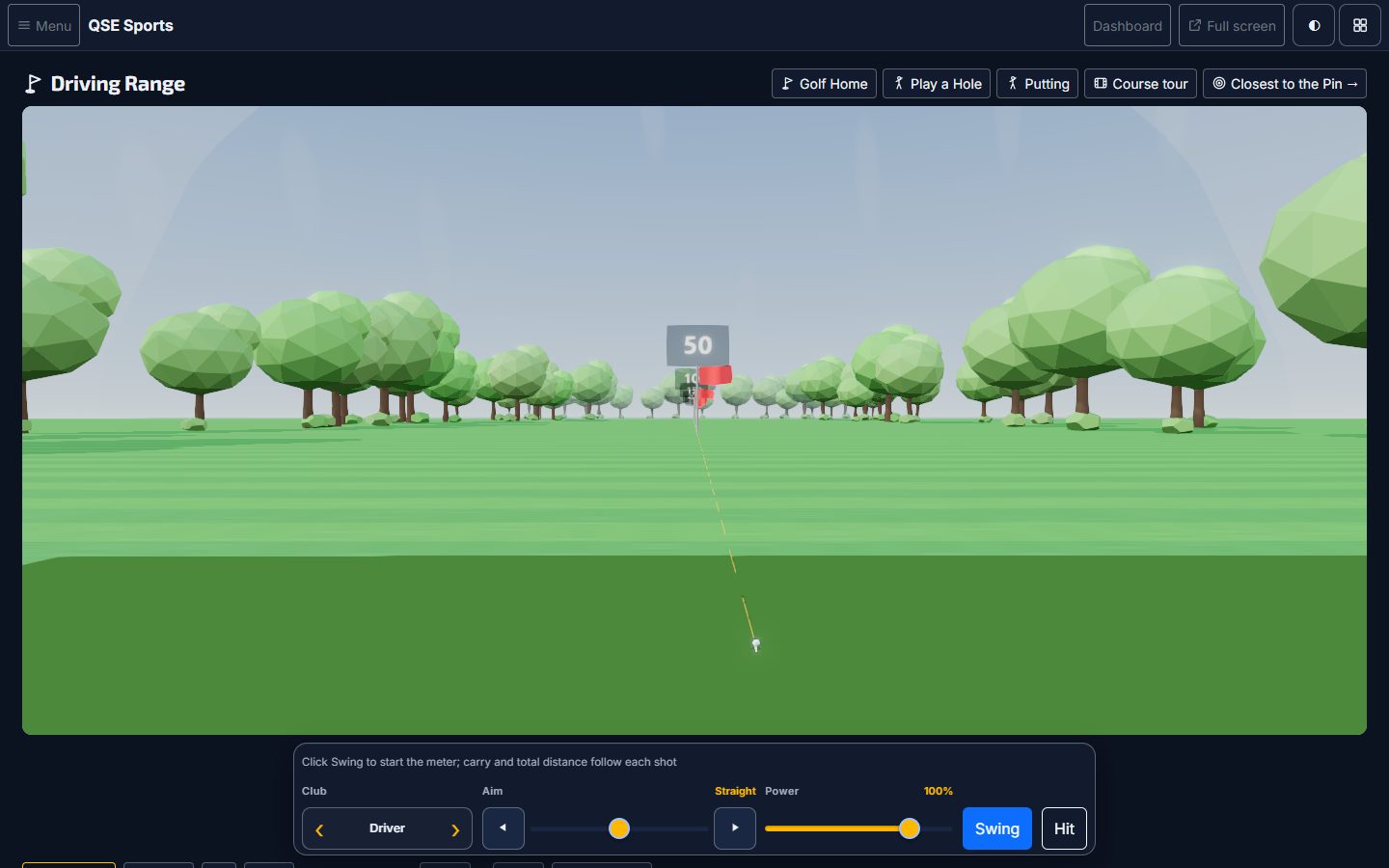
- Hit any club at flags from 50 to 300 yards. The range is the only place you can switch between the Tour set (the clubs you play rounds with) and the shorter, wilder Amateur set.
- Drills: Straight, Fade, Draw, High, Low and Punch.
- Lie: tee, fairway, rough, bunker, pine straw or cart path.
- Wind: 0 to 30 mph. 0° is a headwind, 90° is from your right, 180° is a tailwind. Difficulty runs from 0% to 100%.
- Each shot card shows carry, total, offline, height, landing angle, ball speed, spin, launch, face, spin axis, path, shape and strike, and the session plot shows your average and best carry.
Putting Green
- Levels: Beginner, Intermediate and Expert, with more aim range at each level.
- Drills: a short-putt ladder (3, 3, 6, 6 and 12 feet), five lag putts from 30 feet (finish within 3 feet), or free practice.
- Practice setup: distance (3 to 60 feet), slope (0% to 5%), break, green speed (Stimp 8 to 13) and undulation.
Practice this lie
After a hole, the hole summary can replay your strokes. Practice this lie gives you five balls from the same spot, and your score doesn't change.
Settings and menus
- Round setup also holds your preferences: the announcer and colour analyst, larger text, larger meters, slower timing, controls on the left, reduced motion, graphics quality, your golfer's hat, shirt and trouser colours, the ghost trail, and untimed power controls.
- Camera: address, TV, wide and cinematic views, a hole fly-through, time of day, and on the green behind, read, top and close-up views. You can drag or pinch to move the camera, and Reset view puts it back.
- More: full screen (Immersive), the enhanced or classic course look, sound and the audio mixer, Golf home, the course map, the hole flyovers, this course's guide, the driving range, and Game Code to send us a report if something goes wrong.
- Keyboard: Space or Enter works the swing and putting meters.
Troubleshooting
I can't start a round. Make sure you are signed in. On a free account you can play QSE Signature 18 holes 1–3 from the first tee, and start one new round per Eastern day. Resume today's round, or come back after midnight Eastern.
My saved round is missing. Use the same browser and device, and open the same course. Private browsing or clearing site data removes saves, and a course update can retire saves from its old layout.
My round isn't on the course record board. Only complete, unassisted Stroke play rounds from the Club tees with Center pins can set a record. Check the label on the round in My Rounds.
My online history didn't update. Choose Retry saving online history on the round, or open My Rounds, which retries waiting rounds by itself. The round stays in your browser until it's saved.
The game is hard to see or control on my device. In Round setup, try larger text, larger meters, controls on the left, reduced motion or slower timing. Slower timing marks the round assisted.
A game page offers to download the game engine. On a slow or data-saving connection, games run on our servers and skip the one-time download that lets them run on your device. Choose Download, then Reload now to fetch it once (or Later: it downloads the next time the page loads), or choose Not now. To choose for this device yourself, open Preferences, Visual, Game Engine.
Quick route list
| What you want to do | Where to go |
|---|---|
| Play a round | Golf → a course card → Play |
| Learn a course | Golf → a course card → Course Guide |
| Resume a round | The course's page → Resume saved round |
| See your scores | Golf → My Rounds |
| Learn the controls | Golf → Learn to Play |
| Practice full shots | Golf → Driving Range |
| Practice putting | Golf → Putting Green |
| Play the daily challenge | Golf → Daily Three |
| Take five shots at a target | Golf → Closest to the Pin |